Thank you for stopping by on my blog, I hope you find something here that pleases you. If you do please feel free to leave a comment, either here or in my 4shared account. As an artist I would love to know if you like my offerings or if there is something you are looking for. I read each comment that is left and enjoy hearing from you=]
It has come to my attention that 4shared has changed their TOU for link sharing. I have found that you will now be asked to Login or Create an Account in order to download a file. Yes I know it is free to sign up but I don't think you should have to do that in order to get a freebie. So I will start to change the links over to box.com and I can only hope that they will not do this as well.


Remember to click on the picture to get it at fullsize=]

Sunday, January 5, 2014

CU-Ok Gem Stone Freebie


I made this after seeing a shading tutorial for turning a block of wood into a gemstone with paint. This file includes a full size and tagger size gemstone in green. Why green? Because I've found that green is the easiest color to change the hue on. I have included a note on what to do to change the color of the stone in the TOU. If all else fails you can convert it to black and white and do a color overlay. As always TOU included in the file.

This is Commercial Use Ok and ok to use with freebie kits. Enjoy!
Samples NOT included.


Download HERE

New FTU CU-Ok element


I've had this idea knocking around for some time and finally got around to it. This is a mirror/frame template. It comes in .psd with color layers. There is a main frame layer, a mirror background layer and a layer with the little corner ornaments. You can change the color, change the texture, use it as a frame or for a mirror. It is a full size 300 dpi element but it can be resized to tagger size. Enjoy, as always my TOU are easy and included in the file. 

Commercial use is allowed as well as use in kits intended for freebies =)
Samples NOT included. 


Download HERE

Saturday, December 14, 2013

Love This New Cluster! FTU

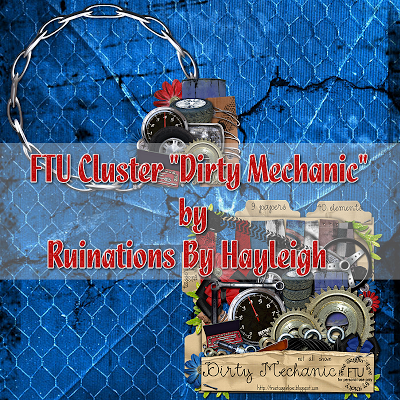
Hayleigh at Ruinations By Hayleigh used my kit Dirty Mechanic to make this gorgeous cluster. Thank you Hayleigh! So head on over and snag it! Don't forget to look around and say thanks ;) You can find it here


Thursday, October 3, 2013

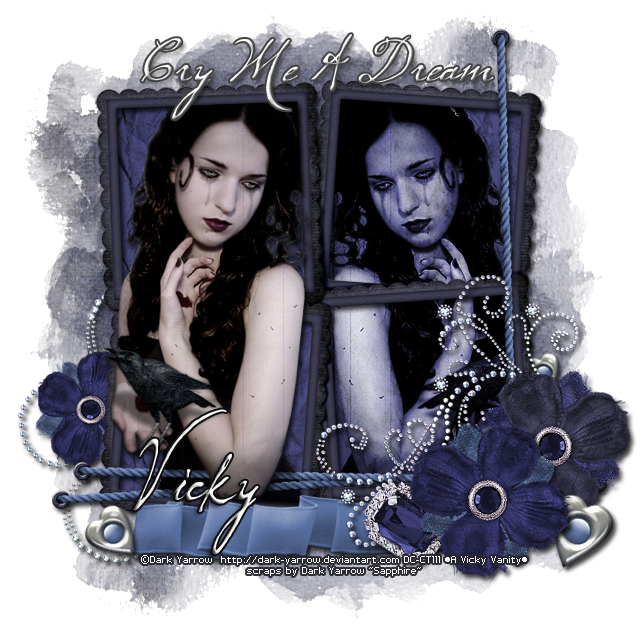
New Tut- Free kit and Tube @Digital Chaos

I have a new tutorial today, it using a FREE scrap kit and FREE tube by Dark Yarrow at Digital Chaos. If you didn't know before, there are a bunch of free tubes and kits as well as images and timelines to be found in the store. You will need to register and use your license number for tubes and images same as paid, but hey that ain't hard!

As always click on image to view at full size!

This tutorial was created using Photoshop Elements 5.

Any similarity to any other tutorial is purely coincidental and not intentional. Please do not post this tutorial in part or whole anywhere else, but instead link back to my blog
 It is assumed that you will have a good working knowledge of Photoshop Elements.

*Reminder, when I state, resize, it means to decrease the size. It is a direct violation of TOU to increase the size of a tube from it's original size.

The beautiful tube I am using is by Dark Yarrow- Ravens Sorrow, you need a license to use it. The very versatile kit is by Dark Yarrow "Sapphire" . You will find both at Digital Chaos. Don't forget to look around at all the other wonderful things offered there ;)

As always, this tutorial is meant as a guide only.

Let's get started....

Elements used-
Flower07 x2
Heart01 x3
Flower08
Gem02
BlingDoodle02
Ribbon01
Frame04
Paper14
BlingDoodle01
Paper03

mask by Wee Scots Lass Creations WSL_Mask254
font used  CK Maternal

 1. Open a new document, Ctrl + N, 700x700 pixels.

We will resize everything at the end

2. Add Frame04 and tube. Position tube as seen in my example. Make a duplicate copy of the tube and flip it for a mirror image. Place behind the frame. Change the blending mode to Hard Light, 100% Opacity

3. Now, back to the first tube placed, I used the selection tool to help erase certain parts of the tube to fit the frame, this is my preference but you can also opt to put it behind the frame as well.

4. Place Paper14 and make sure it is behind all elements already added. Using selection tool, select the inside of each frame opening. Be sure to get all of the smaller openings created by the string on the frame (you'll know if you missed any after this step is completed). Now, making sure your Paper14 layer is active, go to Select- Modify- Expand by 3 pixels. Next create a new layer via copy. Hide the original Paper14 layer.

5. Begin adding elements, use my example as a guide. Resize as needed. Apply a drop shadow to each element if needed.

6. Some elements are flipped horizontally, you should adjust them to suit your taste.

7. Apply the mask WSL_Mask254 using Paper03.

8. Add the phrase or one of your choice. I used a white color with a black stroke of 2px and bevel up of 5px. Drop shadow to taste. The font is at 72pt but I did stretch it horizonatlly to fit across the frame

9. Resize and crop to desired size.

10. Last add your copyright info and license number and name or phrase. This should be done last because any resizing can cause the copyright to become hard to read.

Now save as a .png and you are done.

Sunday, September 8, 2013

Free Timeline Cover

I made a timeline cover and it is free to download at the Digital Chaos store. You can find it here. If this isn't to your liking just look around, there are a number of different themed covers to choose from. ;)


Braiiins!!!!!! CU Freebie

Finally getting around to uploading these..... I bought my kid a toy brain that you put in water and it grows, before we added water I took some pics so I could extract it and share with y'all. So there are two photographed toy brains in the pack. The lighting was different on each and gives them each a different look. The other two brains were drawn by me.... now I am not a great artist but I'm kinda pleased with how these turned out.

So when you download this it will be in psd format, there will be 4 brain layers, the background layer includes my terms of use and a preview layer. All neat and tidy ;)

I hope you like them and find a use for them in your zombie or Halloween tags/kits or anything else your heart desires.

Free to use and commercial use ok!


Download HERE


Tuesday, August 13, 2013

New Mask... Sorta

Hmmm, Well I've done it again. Started writing a tutorial and realized I used a mask I never uploaded to my blog. So here it is, just going to put it up here, right click on the full size image and save to you computer.

Remember to follow my Terms-of-Use and do not claim as your own. FTU for Personal Use Only


Thursday, July 11, 2013

Mask

Ok, I wrote a tut and used a mask I had made. I thought I had already posted it on my blog but then I couldn't find it.... So here it is. Right click and save or download it.

Download HERE


Friday, January 4, 2013

A Bunch of New CU Freebies

I know, it's been a long time.... I am such a slacker! But today I hope to make up for that maybe just a little bit ;) I have some Commercial Use freebies for you. Like it says on the previews, these are all things I own and have photographed and extracted myself. All of the elements except for one set are Full Size (300 dpi), please make note when you download if you wish to use these for printables, Tagger Size does not print well. You are allowed of course to resize any Full Size elements down to Tagger Size, my TOU is really easy and you can find a copy in each file.


CU 1 Folder 
DOWNLOAD HERE


CU 2 Folder 
DOWNLOAD HERE 


CU 3 Folder 
DOWNLOAD HERE


CU 4 Folder 
DOWNLOAD HERE 


CU 5 Folder 
DOWNLOAD HERE


CU Jeweled Butterfly Folder 
DOWNLOAD HERE


Friday, October 19, 2012

Set of Assorted Cluster Freebies

 These are some clusters that I made over the summer using the free kits by Jolene Burke (JRB), that she shared through the yahoo group about a year ago. This is a 4shared link since the file is a bit bigger.


Download HERE

Cluster Freebies

I'm a little embarrassed to say that I have been slacking in my CT duties for Hungry Hill. I have actually had these clusters made for about a month now but never had the extra minutes to get them posted. BUT, they are posted now and you will find the download link beneath the preview picture ;)


 Download HERE


Download HERE


 Download HERE


Friday, May 25, 2012

2 New Templates


i actually have something to post! are you surprised? i finally got around to finishing something and decided to post while i was thinking about it or you might never see it. LoL

here are 2 templates i sketched out at a doctor visit and created when i got home. as always they are in psd format, free to use, for personal use only and tagger size- 72 dpi. 


Download HERE


Download HERE


Saturday, March 31, 2012

Freebie- Autism Awareness cluster

I really should have made one of these a long time ago when I first made my autism mini-kit. But it just never happened.... here it is now tho and I hope someone can find a use for it. It is tagger size only but free as always. I used my autism mini-kit to create this frame.


Download HERE

Thursday, March 22, 2012

CU OK Freebie- Goth Bunny

I have a new commercial use freebie for you today. I created this in photoshop using basic shapes. I wanted to do it after seeing some skulls on my daughters toys. i have included a sample in the zip. you may use it or toss it. I just wanted to show what could be done with the template. The template is in .psd and tagger size only. You may do what ever you like with it except claim the basic file as your own creation. As always, no credit is required


Download HERE

Saturday, March 3, 2012

Blog Exclusive Freebies

Got some new things made. These are blog exclusives for Biker Skunk Tagz and you can find them on the blog HERE. I help moderate the forum over there, so if you're not already a member and want a great place to hang out, make some tags or get some tags (or both) head on over ;)

Download HERE

Monday, November 21, 2011

Free Christmas Gift Tag Printable

I have got a new printable for you just in time for wrapping those Christmas presents. I used the beautiful traditional PTU kit by Hungry Hill called Candy Crimbo. This kit is so beautiful and has so many unique elements in it that it just has endless possibilities so why don't you go Check out her store ;) Now on to the freebie--- I have 2 separate download links depending on how you want to print. I used a mailing/address label template to create these so you can print onto that or print onto cardstock and cut out. The PSD is saved in layers with each label on it's own layer and the outline on a separate layer too so you can print one at a time if you want. The PNG version is saved as you see below on a transparent background and ready to print. *Note--- you may need to adjust your printer margins and/or settings if you print this onto address label paper. Template is compatible with Avery 5160
 

Download PSD HERE 

Download PNG HERE

Tuesday, November 8, 2011

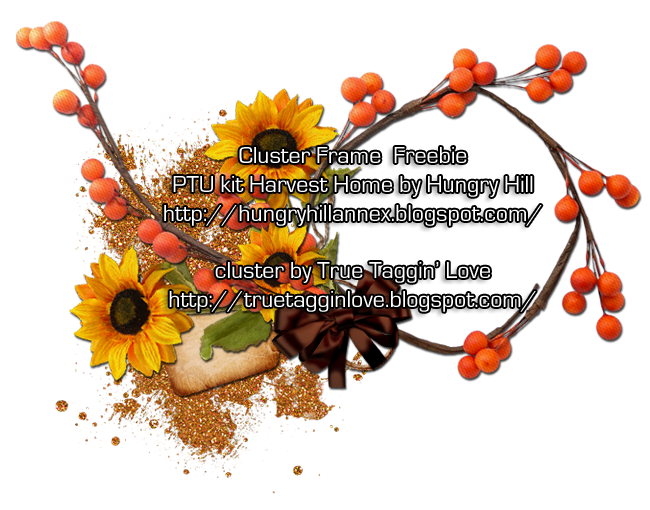
Free Frame Cluster

I've got a new tagger size frame cluster freebie for you today. I used the gorgeous new PTU kit Harvest Home by Hungry Hill. You can snag the frame here and head on over to the Hungry Hill blog to look for more freebies as well as info about where she sells so you can get this beautiful kit too!!!


Download HERE

Wednesday, November 2, 2011

Free Printable Photo frame

i have made a new freebie printable for you. it is a picture frame, 4x6 inch and 300 dpi. i used the ptu kit Dark Mistress by Hungry Hill. if you want to snag it head on over to her blog HERE
(don't forget to look around while you are there!)

below is an example of it with a picture of my kids =]

Thursday, October 13, 2011

Tag Show-off!!!


I have received some awesome tags using my kits and I want to say a huge THANK YOU to everyone that has downloaded something from my blog as well as those that have made me a beautiful tag! ♥♥♥


the first one is from Lynne using Elegant Halloween. WoW!!!!! is all I can say, so spooky, love it! you can find Lynne HERE on her Facebook page.


The next tags are from Misfits in the Creative Misfits forum. Cindy chose my kit Dirty Mechanic
for the scrap challenge. Here are the tags that were made for me by some wonderful Misfits =] each one is so different but so beautiful, love 'em all♥ of course there were many more gorgeous tags made by members, it is a very talented bunch of people ;)


New Tut Using my FTU Halloween kit =]

Golden of Gold Dust has used my kit Elegant Halloween in her tut called Boo!... you can find it HERE and believe me, it is awesome! So make sure you head over and look around, you will surely find something to like because it's all good ;)